Blog
Why Diamonds Look “Bigger” Face-Up Than Their Carat

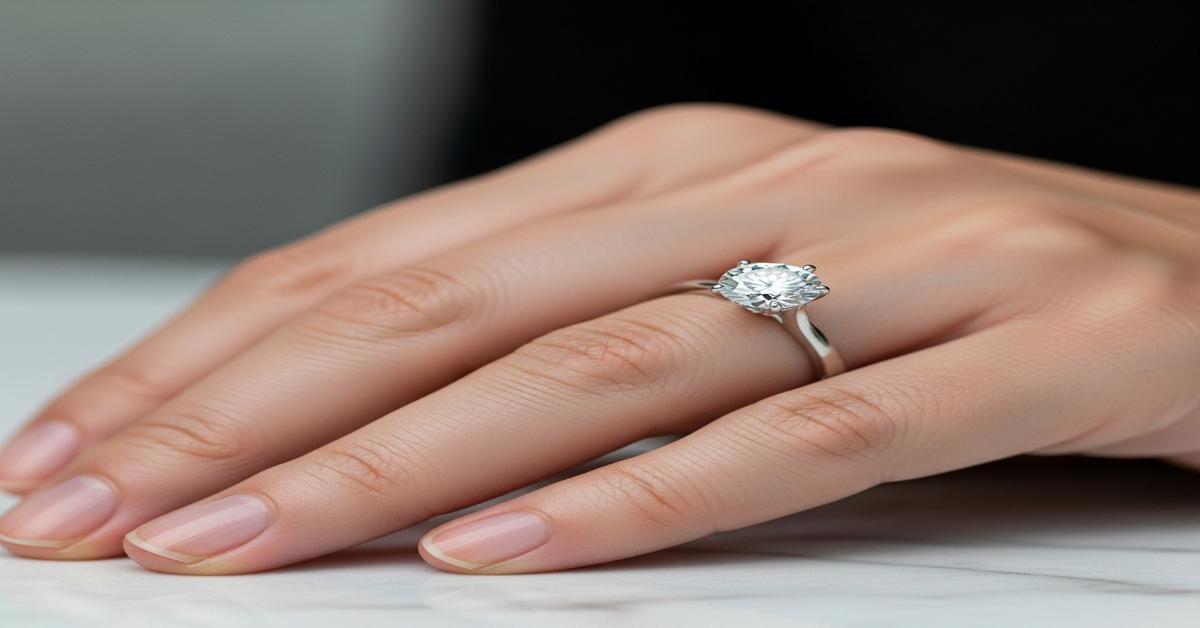
People often think carat equals size. It doesn’t. Carat measures weight — 1 carat is 200 milligrams — not the visible surface area you see from above, called the “face-up” size. A diamond can look larger or smaller face-up depending on its cut, shape, proportions, and setting. This article explains the mechanics behind face-up size and gives hands‑on tips to get the biggest-looking diamond without sacrificing light and sparkle.
How carat weight and face-up size differ
Carat is weight. Face-up size is the diameter or surface area you see looking down on the stone. Two diamonds that both weigh 1.00 ct can have different diameters. Why? Because cutters can place more of the stone’s weight below the table (deep pavilion, thick girdle) or spread it out across the table (shallow pavilion, thin girdle). More weight below the face = smaller apparent diameter. More weight spread across the table = larger face-up diameter.
Key proportions that determine face-up size
Three simple numbers on a report explain most of the difference:
- Diameter (mm) — for rounds, the average of measured diameters; this directly shows face-up size. Larger mm = larger face-up.
- Depth percentage — depth (from table to culet) divided by average diameter. Lower depth% usually means a larger face-up for the same weight. For rounds, depth between about 58–62% is common. Below ~58% increases spread but risks light leakage.
- Table percentage — table diameter divided by average diameter. Larger tables increase apparent surface area and can make the diamond look larger, but very large tables reduce fire.
Cut trade-offs: bigger face-up vs. optical performance
Cutters chase different goals: maximum brilliance, optimal light return, or maximum spread. A very shallow cut will spread the weight into a wider table and larger diameter. That makes the diamond look bigger face-up, but light can escape through the pavilion, causing dullness or “fish-eye” effects. Conversely, a very deep cut places weight below the face, producing a smaller face-up but often excellent light return if proportions are ideal.
Example: two 1.00 ct round brilliants. An ideal cut might be ~6.50 mm in diameter with a depth of ~61% and excellent sparkle. A shallow-cut 1.00 ct could be ~6.80–6.90 mm in diameter with depth ~56–58%, but it may look washed out under some lighting. The choice depends on whether you prioritize apparent size or optical performance.
Shape matters: elongated and fancy cuts look larger
Shape strongly affects face-up size. Fancy shapes spread weight differently:
- Ovals, marquise, and pears concentrate more of their weight in the table length. They typically look bigger face-up than a round of the same carat because they have longer surface area.
- Asscher and emerald cuts have broad tables but deeper steps. They can look smaller face-up relative to their carat weight because of higher pavilion depth.
- Princess and cushion cuts vary widely. Some are cut to maximize spread, others to favor fire and depth.
For elongated shapes, ratios matter. An oval with a length-to-width ratio around 1.35–1.50 generally looks balanced and offers more face-up area for a given weight.
Girdle, culet, and hidden weight
Not all weight contributes to face-up area. Thick girdles, large culets, and deep pavilions add carat weight below the table. That weight boosts the carat number without increasing the visible diameter. A very thick girdle can add noticeable weight. GIA and AGS reports list girdle thickness (thin, medium, slightly thick, thick); aim for thin-to-slightly thick rather than very thick if you want efficient face-up size.
Practical size reference: typical diameters by carat (round brilliant)
These are ballpark averages. Individual diamonds vary with cut.
- 0.25 ct — about 4.1–4.3 mm
- 0.50 ct — about 5.0–5.2 mm
- 0.75 ct — about 5.8–6.0 mm
- 1.00 ct — about 6.4–6.6 mm
- 1.50 ct — about 7.4–7.6 mm
- 2.00 ct — about 8.0–8.3 mm
These diameters assume well-cut stones. A cutter can increase the diameter by a few tenths of a millimetre at the cost of depth and optical performance.
Setting and metal effects on perceived size
The mounting changes how big a diamond looks. Consider these points:
- Halo settings add a ring of smaller diamonds. They dramatically increase the perceived face-up size because they create a larger bright surface area.
- Thin bezels and low-profile prongs make more of the diamond visible. Wide bezels cover the edge and reduce apparent size.
- Metal color matters. Yellow and rose gold create warmer contrast that can visually enlarge fancy-color diamonds. White metal (platinum 950 or 18k white gold) reflects light into the diamond and often enhances perceived brilliance, which can make a stone appear more substantial.
Buying tips: maximize face-up size without losing sparkle
- Compare millimetres, not just carats. Always check the diameter on the certificate. A larger mm means a larger face-up.
- Watch depth% and table%. For rounds, depth around 59–62% and table 53–58% give a balance of size and sparkle. Shallower than ~58% can increase size but risk light leakage.
- Prefer thin-to-medium girdles. Avoid very thick girdles that add weight below the surface.
- Consider fancy shapes for more spread. An oval or marquise will usually look bigger than a round of the same carat. Check length-to-width ratios for balance.
- Use settings smartly. A halo or low-prong mounting often adds perceived size without changing the diamond’s optics.
- See it in person or ask for real-life photos. Some diamonds with larger spread look flat in photos. Viewing under varied lighting shows whether light return remains strong.
In short: carat tells you weight; millimetres and proportions tell you how big the diamond will look from the top. If you want maximum face-up presence, focus on diameter, depth%, and shape — but don’t throw away cut quality entirely. The best choice balances face-up size with brightness so the diamond looks large and lively in real life.